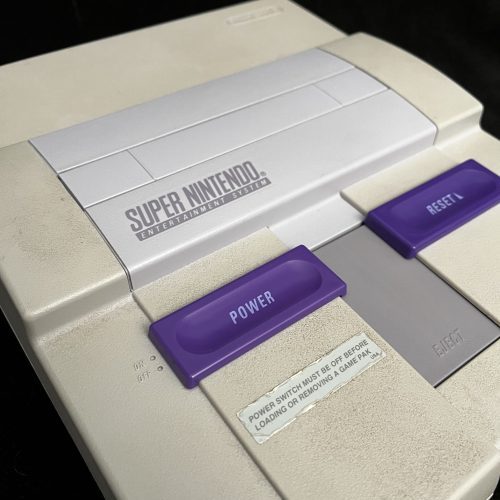
These are some steps for troubleshooting Super Nintendo systems. These are mostly written just for my own memory and use.
No power
Aside from using a multimeter, you can tell if the SNES board has power if the power LED comes on when the switch is turned on. If the light does not turn on, here is what to check.
- Check the fuse with a multimeter. This is the most common cause of no power. A good fuse will have continuity. Replace a spent fuse with a new 1.5A fuse.
- Check that 5V is coming off the output pin of the voltage regulator and 9-12V is coming in on the input side. Occasionally the voltage regulator fails or isn’t outputting sufficient power anymore. Really the only things ahead of the voltage regulator are the fuse and the switch.
- Try a different switch. Testing with a switch you know works is the simplest. You can also confirm the switch you are using has continuity when switched on.
- Check the power port. A broken power port (snapped plastic) should still get power to the unit, but, it can be more finicky. Try unplugging and plugging the power cable back in.
No image (black screen)
This is the most common, and unfortunately, the most tricky failure state to diagnose. A black screen can have many causes and there are several variations of “black screen.” I’ll go into each below.
No signal at all
In this scenario, the TV gets no signal at all. Many TVs will show a “no signal” message in this case. This is different from many other “black screen” conditions where the TV does get a signal, but the signal is just a black screen.
To confirm this is the state you are in, press and hold the reset switch. This will naturally cut the signal output when the switch is down. Then let go. If the TV flickers and any “no signal” message disappears, then you DO have signal. If the “no signal” message stays, you DO NOT have a video signal at all. You can also usually see a bit of a flicker when first pressing the reset switch if the video signal is working.
- Make sure you have a cartridge in the console and that it is seated properly. If the console has no cart or absolutely no contact with the cart, it won’t show a signal. Usually a dirty cart slot will show some kind of signal (black screen included) because it will have some partial contact. You can try cleaning the cart slot with IPA and a toothbrush at this stage (it can’t hurt), however, this probably won’t resolve a completely absent signal. Testing with a clean and known working cart slot can rule this out.
- Try another AV cable. A bad cable won’t show any output. If you can get one you know works then you can rule this out. If you don’t have an extra AV cable, try bending/ flexing the connection ends of the cable while the console is on to see if you can get any signal to flicker on.
- Check the output of the voltage regulator with a multimeter, it should be ~5V (typically I see 4.95 – 5). If the voltage is too low from the voltage regulator, the LED can still turn on but the rest of the board won’t have enough power to run properly. A bad voltage regulator will need to be replaced.
- Check the reset switch. It’s possible for the reset switch to be shorted closed so that the reset state is permanently on – cutting the signal. You can confirm if it’s closed using a multimeter to check the pins. [add photo] Before totally removing it you can try cleaning it with IPA (getting some to go inside the switch itself) and pressing the switch a few dozen times. Then with the console on, press and release the switch several times to see if signal comes on intermittently. If you get signal intermittently after pressing reset, it’s likely that the switch is bad and needs to be replaced.
- Check the SMD video output capacitors. If you have an oscilloscope, you could check the output side of the capacitors to confirm a signal is present. If you don’t have an oscilloscope (I don’t yet) you can replace the video output capacitors with new ones.
- Try replacing the reset capacitor. It’s less common that this would be the issue, but it’s possible.
Black screen with signal
[ More to come … in progress ]

